
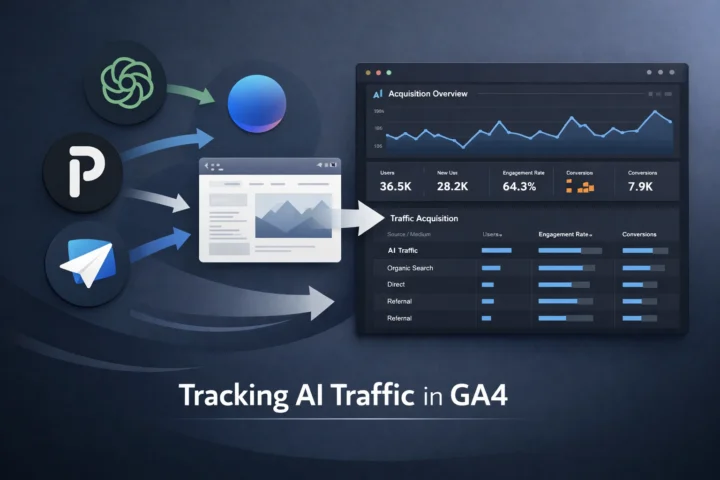
Summary:
AI platforms now influence website traffic, but GA4 doesn’t track them clearly by default. This guide shows how to detect AI referrals, create AI traffic reports and channel groups, and combine GA4 data with AI tracking tools to measure real AI-driven impact.
What Is AI-Driven Traffic and Why It Matters?
Traffic to websites nowadays doesn’t always come from traditional sources. People are increasingly relying on AI assistants that summarise answers, suggest relevant pages, and essentially skip the entire search process. Therefore, when a user visits your website after using an AI tool, their intent, context, and expectations are already pre-established, but Google Analytics 4 may not provide a complete picture.
It is a dilemma for marketers in the digital age. Without visibility in the AI-driven discovery, even well-executed AI search optimization efforts can go unnoticed. Recognizing AI’s growing role can inspire confidence in tracking efforts and enable analytics teams to see their impact more clearly.
Why You Should Be Monitoring AI Traffic in GA4?
The majority of analytics teams continue to make decisions based on familiar traffic channels: Organic Search, Paid Search, Social, and Referral. However, AI has become a new layer of discovery, a filter that determines who gets to your site and why.
The fact is that AI is driving traffic, although proportionately less so. As of yet, only 1% of people use AI search referrals, but more than 50% of consumers use AI-powered search. However, the majority of brands struggle to track them properly in analytics.
Why this matters:
- AI visitors do have a stronger intent, as they receive specific answers before clicking.
- Such visits may skew performance standards when included in either the Direct category or the Other category.
- Understanding how AI behaves can help make smarter decisions in content and AI search optimization, empowering you with strategic insights to stay ahead in the evolving digital landscape.
Different Methods of AI Search Optimization
Method 1: Quick Manual Check for AI Traffic in GA4
This is a quick diagnostic method to track AI traffic before investing time in setup and reporting.
In Google Analytics 4, go to Reports – Acquisition – Traffic acquisition. Change the principal dimension to Session source/medium. Scroll through the list to spot strings that do not match known search engines, referral partners, or campaign names, as these may indicate AI traffic acquisition patterns.
Often, patterns that hint at AI traffic include:
- Unfamiliar source names
- Mediums with no clear label
- Prominence of sessions unrelated to recent campaigns.
This is not an ideal solution, but it is the quickest way to determine whether AI traffic is coming or not. You will often discover that what seemed to be Direct traffic was actually AI traffic the whole time.
Method 2: Create a Saved AI Traffic Report in GA4
After identifying indicators of AI activity, GA4 lets you create and save filtered views. Here is how you can use it to your advantage:
- Go to the Traffic Acquisition report.
- Filter out possible AI sources (e.g., sessions in which the source has known AI indicators).
- Save that filtered view as a custom report, naming it something like “AI Traffic Insights”.
Why this matters:
- The filters do not need to be reconfigured frequently.
- You start seeing trends over time instead of isolated snapshots.
- It is possible to identify seasonality, spikes, and engagement patterns related to AI traffic.
Method: Build a Custom AI Channel Group in GA4
Saved reports, developed custom AI, and channel groups allow you to categorize well-defined insights and enable direct comparison with other elements in reports.
Channels such as Organic Search and Referral are easily defined by default, but AI traffic does not fall into this category. The majority of AI traffic is simply reported into generic buckets, rather than categorized by its actual origin. From a reporting standpoint, this step is especially important for brands treating AI in SEO as a measurable growth rather than an experimental tactic.
The benefits of a custom channel are:
- It enables GA4 to categorize specific traffic as being AI Traffic.
- After classifying, AI traffic is displayed in the same category as other main channels in acquisition reports, user behaviour reports and conversion analysis. This means you can directly measure AI traffic performance against Organic Search, Paid Search, or Social.
Method 4 – Use AI Tracking Tools Alongside GA4
Even with custom channels and reports for AI search optimization, GA4 will not necessarily provide the reason why the session occurred; it simply indicates that it took place.
To bridge this gap, numerous teams resort to the help of AI tracking tools that keep track of your content being mentioned in AI platforms. These tools can tell you:
- What content appears in the AI response
- The number of times your pages are referred to
- Whether AI engines are directing users to your domain
Combining this insight with the engagement and conversion data of GA4, you get a better picture:
- AI exposure – user enthusiasm – visit to the site – conversion (or drop-off)
- Trends of AI visibility associated with content performance.
- Timelines that show how AI mentions and site interactions relate
AI trackers do not replace GA4; their use enhances it. This approach helps fill the gap between AI visibility and the measurement of user behaviour.
| Method | Setup Time | Permissions | Best For | Retroactive Data |
| Manual Check | 1 minute | Viewer | Quick looks | No |
| Saved Report | 5 minutes | Editor | Team shares | No |
| Custom Channel | 10 minutes | Admin | Ongoing analysis | Yes |
Keep Learning
Tracking AI visits requires ongoing effort, including regularly reviewing saved reports, updating custom channel groups as new AI sources emerge, and refining tracking methods to stay aligned with evolving AI systems.
Moreover, metrics obtained from generated visits must become an integral part of your overall AI search optimization and content development strategies. If you regularly monitor AI traffic together with other acquisition channels, it will be easier to identify patterns related to user intent and engagement. In this way, instead of being considered an aberration, AI traffic can help reveal how early visibility within AI platforms can influence performance across your analytics.
Conclusion
AI-driven discovery is not a substitute for traditional traffic sources; rather, it changes the way their results should be interpreted. The methods described above for AI search optimization demonstrate a genuine understanding derived from combining different contexts, rather than from a single report or tool. Manual checks highlight early signals, well-organized reports provide consistency, channel groupings add clarity, and AI trackers fill gaps that GA4 alone cannot cover. When viewed together, these methods can help transform fragmented data into a coherent acquisition. As AI continues to shape how users evaluate and select content, the ability to accurately measure its influence will determine the effectiveness of analytics and optimization strategies.
Since AI continually changes users’ processes for evaluating and choosing content, the ability to accurately measure that impact will determine the true effectiveness of analytics and optimization strategies.
Also Read – AI SEO vs. Human Content: What Drives Rankings & Traffic?
FAQs
1. What exactly counts as AI traffic in Google Analytics 4?
AI traffic comes from tools like ChatGPT, Perplexity, Gemini, Claude, Grok, and Copilot when users click their source links to your site. These referrals appear under the Session source in GA4 reports. You can spot them by their known domains, such as chatgpt.com or perplexity.ai.
2. Why does tracking AI traffic matter for our team right now?
It reveals new user sources, engagement patterns, and content preferences from AI platforms. High bounce rates signal optimization needs, while tracking supports AI search optimization for better visibility. Teams use insights to refine pages and boost traffic acquisition.
3. How do I perform a quick manual check for AI traffic?
Go to Reports > Acquisition > Traffic acquisition, switch the dimension to Session source, and filter with regex like (chatgpt|perplexity|gemini). This lists AI visits instantly without setup. This method is perfect for one-time checks by any employee.
4. What’s the best way to automate AI traffic tracking?
Create a Custom AI Channel Group in Admin > Data display > Channel groups using the full AI regex for sources. Drag it above Referrals; it groups data automatically, even retroactively. This feature is ideal for continuous analysis across various reports.
5. Can I use external tools to enhance GA4 AI tracking?
Yes, pair GA4 with Surfer’s AI Tracker for pre-click monitoring or Looker Studio dashboards for visuals. Explorations in GA4 let you filter AI sources deeply for metrics like conversions. Update regex lists monthly for new AI referrers.