
How to Create a Google People Card (Add Me to Search Guide 2026)
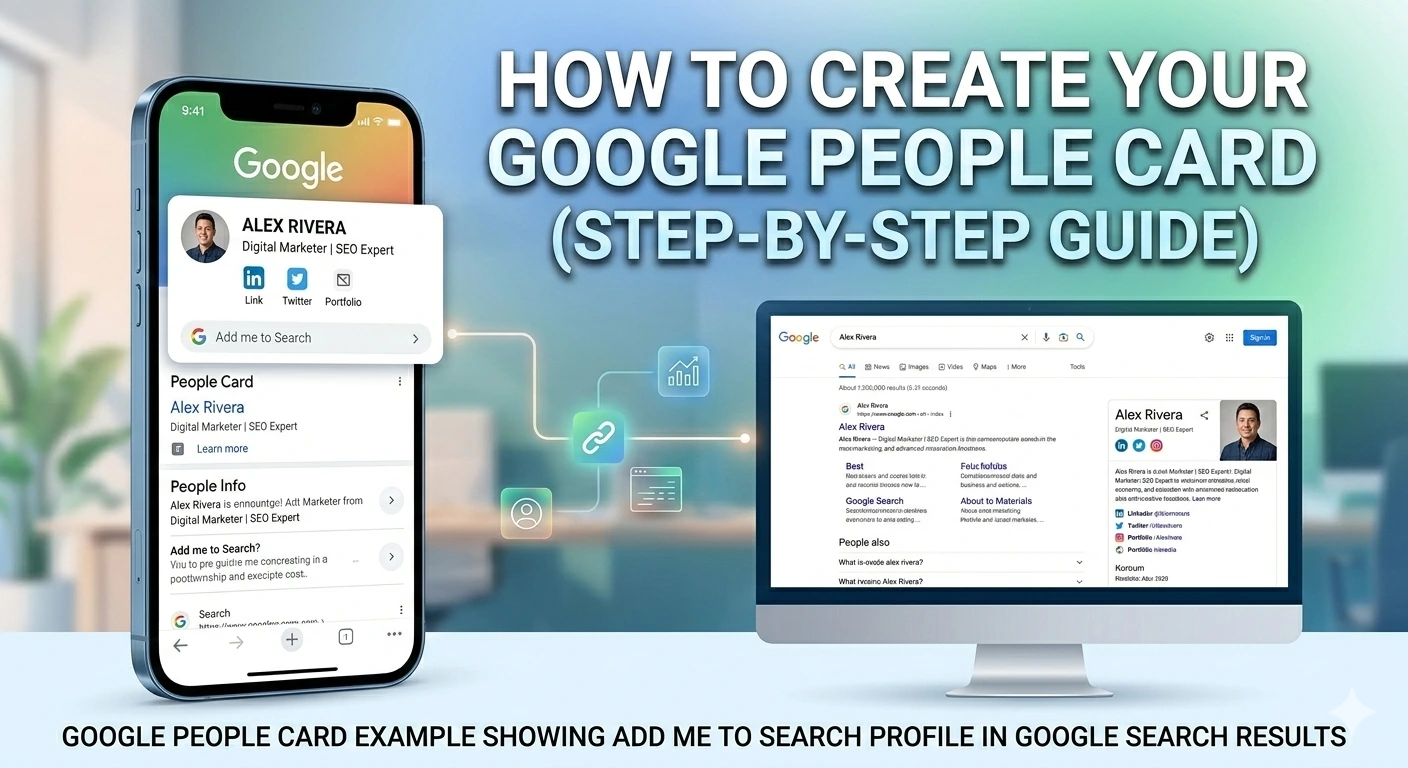
Table of Contents
Summary
More often than not, people searching for you will first type your name before they decide to trust, contact, or collaborate with you. Google’s Add Me to Search feature lets people influence that first impression by making their Google People Card appear right in the search results.
This blog covers:
- Defining ‘add me to the search’ and figuring out its target audience
- Explaining the basic functioning of Google People Cards
- Providing exact steps for creating, changing, or deleting the card
Online searches often shape opinions before conversations begin. When someone looks up your name, the information they find can influence trust, credibility, and opportunity. Google’s Add Me to Search feature allows individuals to create a Google People Card that appears directly in search results, offering greater control over personal and professional visibility. Instead of relying on scattered online profiles, this tool helps present accurate, up-to-date information in one place. This blog explains how to add me to search works and how to use it effectively to manage your presence on Google.
Necessity of Google Add Me to Search
Here are a few reasons why it is smart to have an ‘add me to search’ profile:
- Professional Credibility: The People Card is proof of your authentication and allows clients, employers, or partners direct access to your verified professional background.
- Brand Control: Your people’s card lets you tell your professional brand story. You can control the display of only accurate information in the search results, eliminating any uncertainty.
- Enhanced Visibility: This feature helps people find you more easily. The freelancers, consultants, and entrepreneurs who generate leads through an online presence can significantly benefit from the feature.
- Competitive Edge: Individuals who are not currently using this tool are likely to notice you when you have a perfectly configured People Card. Besides, people will appreciate you as being more technologically competent and progressive.
What is Google People Card?
The Google People Cards feature organizes information and displays key facts about that person. A People Card can show:
- Name
- Occupation or field of expertise
- Location
- Short personal statement
- Social media links
- Contact details
To add me via search, the person must be logged in to a Google account because the system uses authentication. This method not only ensures that only genuine information gets through but also prevents anyone from creating cards for other people without their permission.
People Cards are presented in various ways depending on the user’s device and search query. On desktops, for instance, they may be displayed as knowledge panels, while on phones they appear as card-like results, making them a breeze for users to see and access across platforms.
How to Make Your Google People Card?
These are the steps to add me to the Google search card:
- Sign in to your Google account: Ensure that you have logged in to your Google account
- Look for your name: On Google, type the phrase “add me to search“
- Click on “Get Started”: You need to create your People Card option by clicking on it
- Fill up the details: Give your professional info, such as:
- Name with your profession
- Location and contact details
- Professional website or portfolio
- Social media links
- Brief professional description
- Choose a professional and clear photo to represent your brand.
- Once that is done, you can submit the data to go live.
1702 Digital is committed to helping individuals and brands increase their Google Search visibility through SEO, personal branding, and content optimization. If you want search results on your side, our experts are here to help you establish a strong online presence.
Removing Phone Numbers and Email Addresses from Google People Card
For privacy reasons, remove sensitive information from your add-me-to-search profile. Go to your People Card settings and uncheck those boxes to hide them from the public while still showing other professional details.
Moreover, you can opt for alternative ways to contact, such as providing your professional email address or using a contact form, rather than sharing personal details. This solution strikes a good balance between accessibility and privacy protection.
Removing Google People Card from Search
If you want to permanently delete your card, log in to your Google account, locate your People Card in the search results, and then select “Remove from Search”. Your card will no longer be available in Google’s search results.
Think carefully about the consequences of removal because you might lose a significant amount of time and effort in getting your ‘add me’ search visibility back. Instead of wiping it entirely, you could update the card to address the issues that bother you.
Making the Most Out Of Your Google People Card
Here are some suggestions that can help you increase your card’s value:
- Choose professional, high-resolution pictures for the card
- Craft interesting stories, complete with keywords
- Ensure the changes on your card reflect your career growth and changes
- Insert the links to your major professional profiles
- Try different search queries to see how your card appears
- Use the same profile photo for your online presence across different platforms
Conclusion
Google’s Add Me to Search feature gives professionals direct control over how their name appears in Google Search results. By creating and optimizing your Google People Card, you strengthen your personal branding, improve Google search visibility, and build long-term online reputation management.
However, simply creating a People Card is not enough. To truly dominate branded search results, you need a strategic combination of SEO services, personal branding optimization, content marketing, and technical SEO.
If you want your name to rank stronger in Google Search and AI-generated results, investing in professional SEO strategy and search visibility optimization is the next smart step.
Also Read – Search Google or Type a URL: Which Is Better?
Google Search Console AI-Powered Reports Explained
All Google Search Operators Explained with Examples (Basic to Advanced)
FAQs
1: What is the use of Google People Card?
A Google People Card lets an individual share a snippet of verified personal and professional information directly in Google Search. It improves your profile and helps others identify you quickly.
2: Why does my Google People Card not show?
There are several reasons your Google People Card may not appear: your details might be incomplete, the card is under review, or it is not very relevant to the search. If you give Google accurate information and follow their rules, your card will have a better chance of being seen.
3: How can I manage Google People Card?
To manage your profile, type ‘edit my people card’ or ‘edit my people account‘ and log in to Google. Then, you can add new information, remove existing information, or even delete the card.
Like What You Read?
Have an Idea and Want to Build Something Together? Contact Us Now
Search Google or Type a URL: Which Is Better?
Summary User browser interaction determines how information is accessed online. This article focuses on the meaning and operation of searching…
Read more →
List of The Most Subscribed YouTube Channels
Hello, everybody who loves YouTube! Are you ready to jump into the world of the most popular YouTube channels? These…
Read more →
Step-By-Step Guide To Artificial Intelligence (AI) in Digital Marketing
The digital marketing landscape is undergoing a seismic shift, thanks to the rapid advancement of artificial intelligence and digital marketing.…
Read more →