
Summary:
GA4 user journey tracking helps businesses understand how organic visitors move across multiple sessions and devices before converting. Instead of relying on last-click attribution, GA4 allows marketers to measure assisted conversions, engagement signals, and multi-touch interactions to prove SEO’s impact on revenue.
SEO at a glance appears to be doing its job perfectly by improving rankings, gaining more impressions, and growing organic traffic steadily. However, if someone asks, ‘How is SEO contributing to revenue?’ the answer suddenly lacks clarity. Traffic numbers do not explain intent. Ranking does not show the brains behind the decision. And most of the time, the conversion seems to happen somewhere else.
Such a gap isn’t because SEO is failing; it’s because traditional reporting no longer reflects people’s behaviour. Users today do not just get to the site, convert, and leave within a single session; instead, they discover, come back, compare, hesitate, and finally convert. Sometimes the conversion happens days later. Sometimes on a totally different device.
Google Analytics user journey tracking provides actionable insights by illustrating how visitors from organic search interact with your site, helping you understand the true impact of SEO beyond rankings and impressions.
Why Tracking User Journey Makes SEO Wins More Visible?
The user journey defines a visitor’s complete series of interactions with your site, from the very first contact through the end of the journey (either conversion or exit). Recognising this helps you see how your efforts influence user behaviour, making SEO feel more impactful and encouraging.
It is essential because the way people shop nowadays is quite complicated. Google states that, on average, users interact with 6-8 touchpoints before conversion. In the meantime, a Think with Google publication reveals that majority of shoppers use multiple devices to complete a task over time. If you focus only on last-click conversions, you are most likely underestimating the SEO channel’s contribution.
Tracking user journeys with Google Analytics offers valuable insights into organic traffic interactions, but integrating GA4 data with other analytics tools or CRM systems can enhance your understanding of SEO’s contribution to revenue.
How to Set Up User Journey Tracking in GA4?
1. Set Up Funnel Exploration
If you’re looking to understand how users behave after landing from organic search, go to the Explorations page in GA4. This section is designed for analysis that goes beyond the limits of the standard reports and is where the outlines of user journeys become visible.
Choose Funnel Exploration to see how users’ actions sequentially transition from one to another. Rather than focusing on one-off sessions, you’re now seeing the user journey.
Here’s a general SEO funnel example:
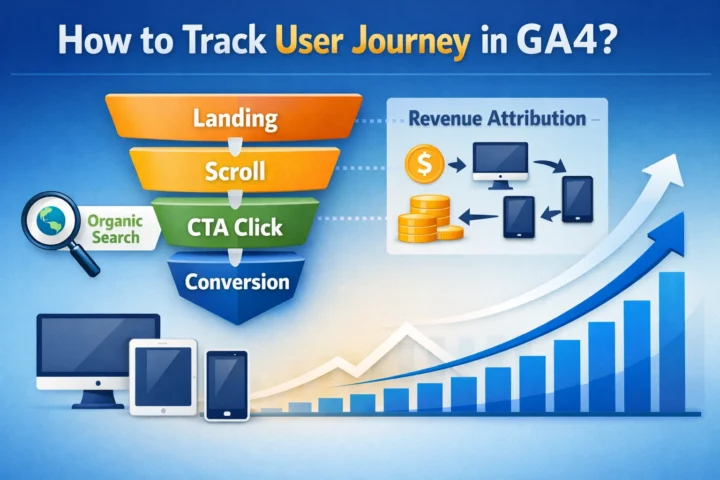
- Landing on a blog or a service page via organic search
- Visiting another essential page
- Completing an event that signifies a conversion
2. Set Variables That Match SEO Intent
It is essential to take a moment to think about what exactly ‘progress’ means for your SEO users before you start changing any settings. Considering the flow of your website and how users behave can be really clarifying and give you the confidence to adjust your strategy. One way to start this is by:
- Focusing on landing pages that are being trafficked by organic search
- Users who scroll through your page indicate a level of interest and click on calls to action.
- Adding dimensions that track the source of this traffic will help you understand the success of your SEO performance.
3. Configure Tab Settings to Define the Journey
Tab settings can be customized, and each step in the funnel needs to encapsulate every type of interaction
Some considerations when setting up this point:
- Do not overwhelm with too many steps
- Consider using open funnels to depict natural curiosity
- Align each step with an explicit user action
This is where many companies struggle, not because GA4 is limited, but because it requires both SEO and analytics context, and partnering with agencies like 1702 Digital can build a more accurate funnel structure that locally drives real optimizations based on GA4 insights.
4. Use Breakdowns to Uncover Deeper Insights
You can put your funnel into action by implementing breakdowns, which will help you uncover hidden patterns in user behaviour at each stage. This can make you feel more resourceful and confident in your ability to optimise based on evidence.
Some of the things that breakdowns can reveal are:
- Variation in behaviour due to different devices used
- SEO landing pages that generate the most traffic
- Content that causes drop-off
These insights can help you improve based on evidence and not assumptions.
5. Save the Exploration as a Custom Report
Once your setup is complete, save the exploration to make it a repeatable reporting asset. This allows you to see how user behaviour changes as you update your content, internal links, and SEO strategies.
Moreover, using saved explorations in SEO reporting is more convincing. Instead of showing only a spike in traffic, you are presenting the whole process—how the organic users come and go through your site and eventually contribute to the outcomes.
An Actionable 4-Week Roadmap to Get Going
Week 1:
When starting to use Google Analytics 4, take 4 weeks to get a good understanding of your configuration and verify that organic sessions are measured correctly and that all available events align with SEO goals that can be measured. After all, you won’t know where you’re going if you don’t know where you are.
Week 2:
In week two, we focus on enhancing our event tracking and conversion setup. Industry benchmarks compiled by Statista show that the global average website conversion rate sits just above 2%, highlighting how even small tracking-led improvements can make a measurable difference.
Week 3:
In week three, you can delve into the paths taken by your organic users using GA4 Explorations, tracking their journey from entry to subsequent interactions. This will really help highlight where your content is falling apart.
Week 4:
In the final week, put all the insights to work for you. Make changes to your internal linking, improve your CTAs, and spruce up your content to better reflect how users navigate your website. You’ll want to create a reporting system that spotlights the number of ‘assisted conversions’ and digs deeper into the journey, too, so that you can show the value that SEO brings even beyond the initial click.
Conclusion
Nowadays, one cannot solely judge SEO by traffic and rankings. As users’ behaviour increasingly spans sessions and devices, surface metrics no longer accurately reflect the contribution of organic searches to growth.
Google Analytics enables tracking the user journey from the first interaction through to conversion. Measuring SEO performance through engagement, progress, and eventual results makes its impact visible and quantifiable. Not only does this transformation improve reports, but it also alters how SEO is understood, valued, and resourced.
For brands looking to strengthen their analytics foundation, partnering with an experienced SEO agency in Mumbai to accelerate results. As a performance-driven SEO company in India, 1702 Digital specializes in:
-
Advanced GA4 setup and conversion tracking
-
Technical SEO audits
-
Enterprise SEO strategy
-
Organic traffic growth campaigns
-
SEO revenue attribution modelling
-
Content strategy aligned with search intent
-
CRO (Conversion Rate Optimization) for organic users
By combining SEO services, analytics consulting, and data-driven optimization, businesses can move beyond vanity metrics and build measurable organic growth strategies that scale.
Also Read – Using Data Analytics to Drive SEO Decisions
FAQs
1. What is user journey tracking in GA4?
User journey tracking in Google Analytics 4 (GA4) maps the sequence of interactions a user takes on your website from their first visit to conversion or exit, helping you understand how organic visitors engage with your content.
2. Why is tracking user journeys important for SEO?
Tracking user journeys shows how organic traffic contributes to conversions across multiple sessions and devices, making SEO’s role in revenue and business growth more visible beyond rankings and traffic.
3. How do I identify SEO users in GA4 funnels?
You can filter users by source/medium (e.g., “organic search”) or landing pages in GA4 Explorations to specifically analyse how SEO traffic behaves throughout the funnel.
4. How can GA4 help improve SEO performance?
GA4 insights help you optimize internal linking, improve CTAs, refine content structure, and enhance user experience based on real user behaviour patterns.