
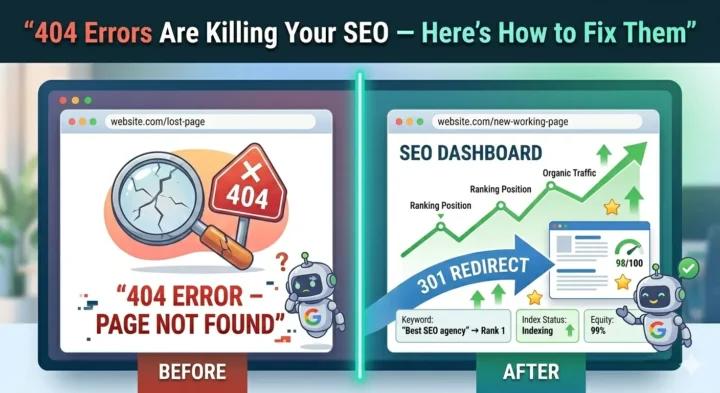
Summary
Have you ever clicked on a link and been taken to a “Page Not Found” screen? A broken link, a mistyped URL or a deleted page often causes a 404 error message. It also affects your SEO rankings. In this blog, we will discuss:
- What is a 404 error, and what causes it
- Different types of 404 errors
- How to identify broken links and fix them
You don’t even realize that your website is losing visitors. Presently, potential clients are clicking on your search results, landing on broken pages, and immediately leaving for your competitors. Every 404 error is a lost sale, wasted marketing, and a signal to Google that your site isn’t worthy of ranking.
Most business owners only find out about broken links when it is too late to recover lost revenue, and their rankings have plummeted. This blog will teach you the step-by-step process to locate broken links on a website, explain to you the reasons why 404 error pages are killing your SEO, and suggest the implementation of fixes that will lead to an actual boost in your rankings.
What is a 404 Error? How Does it Affect Your Website?
You have just published the ideal blog post. It ranks on the first page. Huge traffic follows. But all of a sudden, the unexpected happens. Your website has been revamped, and the URL that used to be a money-maker has disappeared. There is now a bare, unwelcoming 404 page instead of your excellent content.
A 404 error means that your website is telling visitors, “Sorry, the page you requested cannot be found.” A 404 response is generally returned to clients’ browsers when they request a page that doesn’t exist, which can occur if the page is deleted or the URL changes without redirection. It is like sending customers to a “Sorry, closed” sign at the address where they expected your business to be.
An error 404 message not only costs you a single visitor but also damages your revenue potential, search engine rankings and sends a negative signal to Google. A broken link is like a crack in your website’s structure, and if you ignore it for too long, it will get bigger, and eventually, your SEO success will be engulfed by the nightmare of bad links.
What Causes a 404 Error?
Knowing what causes a 404 error helps you plan better and avoid such situations:
- Pages that are deleted without the proper redirects
- Moving content, but URLs haven’t been changed
- Typos in URLs (both from users and your own links)
- Using broken links after changing the website structure
- Old external backlinks which point to the pages that no longer exist
- URLs are case-sensitive, and so they don’t match
How Do 404 Errors Affect SEO and User Experience?
Whilst Google says that 404s no longer directly affect rankings, they still affect overall performance. Google’s data indicates that up to 30-40% of URLs in Search Console may return 404 errors, even on high-turnover sites.
Not only does a broken link cause a wasted crawl budget, but it also leads to a misallocation of resources (the limited time Google spends indexing your pages). If a high-quality page with an important backlink returns a 404 HTTP error, all link equity built around that page is lost. Moreover, a large number of 404 errors may lead Google to think your website isn’t well-maintained, and they may lower the ranking of your entire domain.
According to data, the bounce rate for health and beauty e-commerce sites is 51.6%, while that for electronics sites is 46.6%; 404 errors are a significant factor. Mobile users experience a 16% higher bounce rate than desktop users. Each 404 not found case is a source of irritation and discomfort that competitors make good use of.
If a user doesn’t find the answer to their query on your page, they immediately leave. Google will register this event as an indirect confirmation that your page is irrelevant to the user query; thus, it will gradually reduce your visibility in search results.
Are you looking for specialists to identify and remove these obstacles to your rankings? Technical SEO services by 1702 Digital are a perfect choice to help you diagnose and fix 404 errors before they affect your revenue.
Different Types of Error 404
Search engines handle different types of 404 errors differently. It is necessary to recognize the type of 404 error to fix the issue.
Hard 404: The server displays a 404 status code for missing pages. These are honest errors that the search engines understand.
Soft 404: The page displays error content, but the status code returned is 200 (success). This misleads search engines, which is the main reason soft 404s are more harmful than hard 404s. They waste the crawl budget and weaken your website’s overall quality signal.
One should focus on finding and fixing soft 404s before hard 404s, as this is where the real SEO problem lies.
How to Identify 404 Errors on Your Website?
If you want to find out the ways of locating broken links in your website, then here are some methods you can follow:
- Google Search Console: Look for the “Coverage” report that shows pages returning HTTP error 404 codes
- Crawling Tools: Screaming Frog, Ahrefs, or SEMrush can crawl the entire site for you and give the report
- Browser Extensions: Link checkers will spot broken links while you are surfing the web
- Server Logs: See which URLs are generating 404s from real user traffic logs
- Manual Testing: You can clean up the user experience by clicking through the navigation and key landing pages periodically
How to Fix 404 Errors: A Step-by-Step Guide
Want to know how to fix 404 error problems? Here is how you can fix 404 errors:
Step 1: Perform a website audit and come up with a complete list of broken links
Step 2: Rank the repair works by their potential visitor number and the number of inbound links
Step 3: If the content is temporarily moved, run 302 redirects
Step 4: If the pages were permanently moved/deleted, direct them to other relevant alternatives through 301 redirects
Step 5: Modify the internal links in your entire website to avoid future breaks
Step 6: Request web admins to change the links when their site is referring to your 404s (only when the link is valuable)
Step 7: Keep an eye on it regularly to detect new errors before they become a big issue
What is Custom 404? How Can You Handle Custom 404 Error Pages?
A custom 404 page is a tool to help the user find a way out of an annoying situation. Instead of the standard browser error, make a page with the following features that represent your brand:
- Informs about the error in a nice way
- Offers search capabilities to locate the desired content
- Has links to the most popular pages or categories
- Includes navigation to keep visitors on your site
- Fits your visual identity to keep branding consistent
- May use jokes to add fun and cheer the mood
Conclusion
Every single 404 error on your website is a loss to you in terms of money, rankings, and customer trust. However, you now have the map to guide you out of this mess. By carrying through the actions in this manual, from carrying out periodic audits to implementing smart redirects, as well as setting up helpful custom error pages, you are not merely closing the loopholes but also fortifying and making your web presence more competitive.
Want your website to be the conversion machine? Work with 1702 Digital for expert technical SEO services that eliminate 404 errors and maximize your site’s ranking potential. Every day of broken links costs you revenue; do not let it happen again.
Also Read – 301 Status Code Explained: Complete Guide to 301 Redirects
What Is Technical SEO? 15 Major Technical SEO Checklist
12 Important Technical SEO Elements To be Fixed on Priority
FAQs on 404 Errors
1: What does a 404 error mean?
A 404 error indicates that the server cannot locate the requested web page. The page may be non-existent, it may have been relocated without a redirect, or the URL may be misspelt.
2: Does 404 mean blocked?
404 means the content was not found, not that it was blocked. The standard errors returned when accessing blocked content are usually 403 (Forbidden) or 401 (Unauthorized).
3: Does a 404 error message negatively affect your SEO?
Yes, but the extent of the effect will vary depending on how often you deal with them and in what way. Having a couple of 404s will not be detrimental to your rankings. However, having broken links all over the site will waste crawl budget, harm user experience, and reduce your site’s authority.