10 Best Shopify SEO Tools Every eCommerce Needs To Optimise The Store
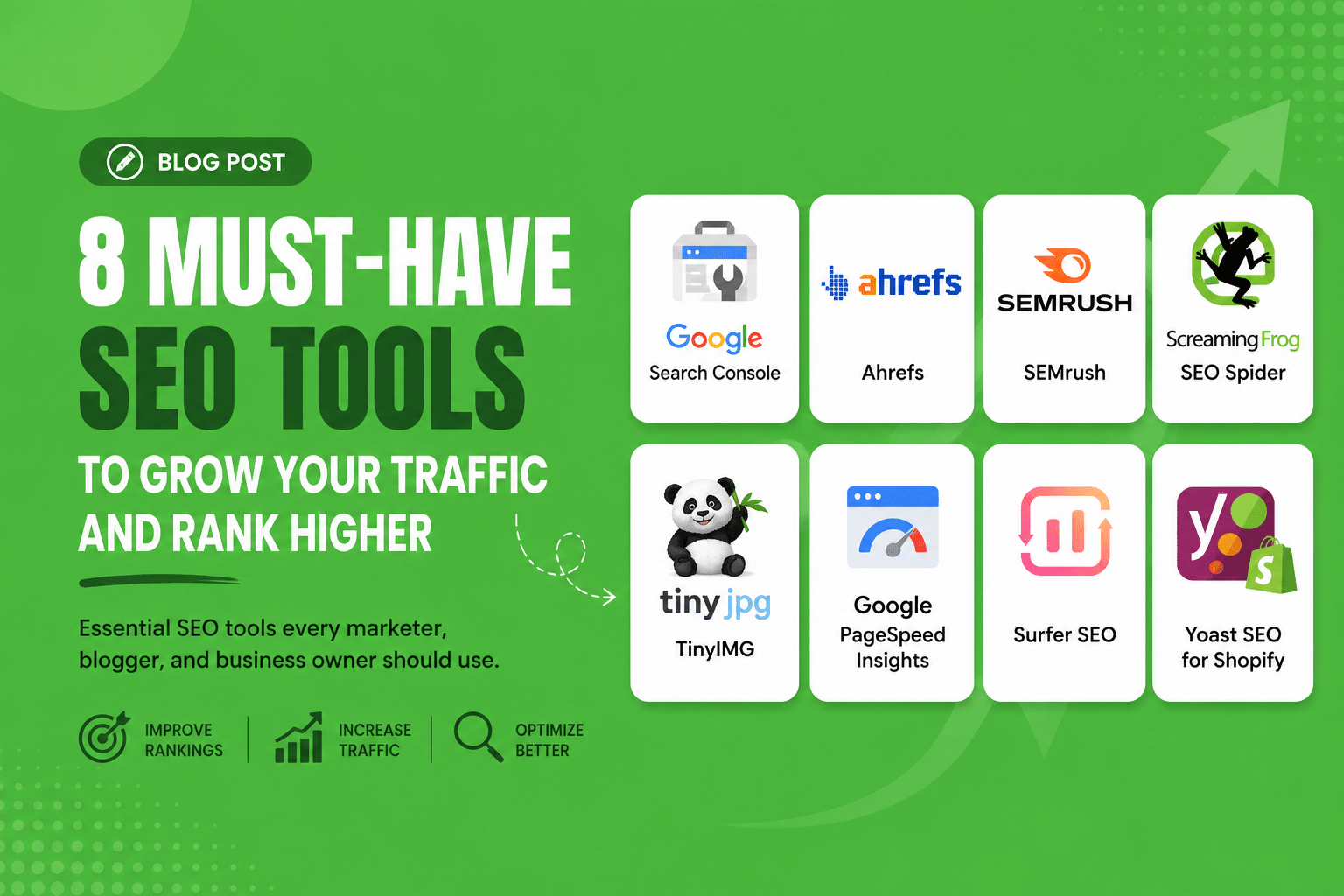
Table of Contents
There are challenges and tasks to take your Shopify store live and to rank it. With the number of online stores competing for visibility in the browser, guesswork-based selection is no longer effective. This blog contains a detailed review of the top Shopify SEO software that can eliminate traffic gaps and proactively drive traffic.
- What are Shopify SEO tools, and how to choose which suits your business best
- A compilation of the 10 Shopify SEO tools, including both free and paid options
- A step-by-step guide to start using eCommerce SEO tools
Just begun operating your Shopify store? Built a great product, created and optimised the pages, but still, you have no customers. You did everything you were supposed to, and Google should have brought in clients, but everything is still as it was at the beginning; their absence is noticeable.
With over 5.5 million active Shopify users globally, the competition for search visibility is real. You now do not just need SEO, but also the right tools. In this blog, we will discuss the 10 best Shopify SEO tools that you can use to make your store visible.
What Are Shopify SEO Tools, And Why Do You Need Them?
SEO Tools for Shopify are software applications or programs that will optimise your online business for the search engines like Google. This tool helps with keyword research, problem-solving, content creation, and performance tracking.
Failure to use the right SEO tools for your Shopify shop will make you miss the following:
- High-intent keywords
- Slow site speed
- Content duplications
- Website structures that lower your ranks
Use of proper e-commerce SEO tools will help you with the following:
- Improved organic traffic
- Increased visibility of your product pages
- More conversions through improved user experience
The Role of Shopify SEO Apps
There are a few things to keep in mind when using SEO tools, as not all tools have the same functions. These are some of the groups into which these tools fall:
- Keyword research tools: Know what your audience is looking for.
- Technical SEO: Check your website and fix any technical errors
- Content Optimisation tools: Improve your blog articles and product descriptions
- Image optimisation: Compress and tag images for SEO purposes
- Page speed optimisation: Improve performance and speed
The 10 Best Shopify SEO Tools
1. Google Search Console (Free Tool)
Use this first. Google Search Console is one of the most essential SEO tools available to any Shopify store owner. It will show you which pages of your website have been indexed by Google, identify any crawling errors, and let you see which specific search queries your customers have used to reach your site. Consider it like getting direct feedback from Google about your website. Make sure to set it up on day one and to check it once a week.
2. Ahrefs ($129/month or more)
This keyword research tool will prove invaluable once your store becomes successful. Ahref allows you to determine what customers are searching for, how competitive the particular term is, and, most importantly for beginners, which keywords your competitors are ranking for. Instead of making guesses, you will be able to find out what keywords work and then develop your strategy based on this knowledge.
3. SEMrush (Free trial / Starting from $139/mo)
This tool does everything that Ahrefs does, only it combines keyword research with an on-site SEO audit tool. If you need something to bring all your tools together, it might be right for you. What makes its Keyword Magic Tool unique is that it excels at identifying long-tail buying intent phrases, such as “handmade soy candles UK,” that are actually attainable for a new shop. It highlights all the on-page errors in easy-to-understand language.
4. Screaming Frog SEO Spider (Free up to 500 URLs / £259/year)
Screaming Frog will crawl through your website and show you a list of problems that he found there. Such as broken links, lack of description, duplicates, redirects. Free version allows you to test up to 500 links. It’s more than enough for any new store on Shopify. It can be used once a month and will help you to find hidden SEO mistakes.
5. TinyIMG (Free / Starting from ~$9.99/mo)
The images on your online store are larger than necessary, which could negatively affect your website’s loading speed and hurt your rankings. TinyIMG is an app that integrates with Shopify and automatically optimises your images and adds alt text. This is a very efficient way to increase your website’s speed without investing much time.
6. Google PageSpeed Insights (Free)
More than 60% of all e-commerce purchases will be made on mobile devices. Google rewards fast websites and punishes slower ones in search engine rankings, as well as in the number of conversions that occur on the page. PageSpeed Insights evaluates your site based on Core Web Vitals and provides actionable guidance to improve them.
7. Surfer SEO (from $89 per month)
If you want your blog posts and product pages to rank, Surfer SEO takes the guesswork out of writing them. Surfer SEO will analyse the existing pages that are already ranking at page one using the same keyword and provide you with the exact instructions to create your content. Even though it’s widely used by agencies offering Shopify SEO services, Surfer SEO is easy to use for beginners.
8. Plug In SEO (free version; starting at $29.99 per month)
Plug In SEO is the friendliest on-page audit tool built specifically for Shopify. It scans your entire website for common mistakes and helps you fix them, such as thin content, missing meta descriptions and keywords, slow loading times, and broken links. As a beginner, using Plug In SEO is the easiest way to ensure you don’t miss any ranking opportunities.
9. Yoast SEO for Shopify (Free Plan / ~$19/month onwards)
With Yoast SEO, you will get feedback instantly while writing and optimising your pages. Is your target keyword usage correct? Are you exceeding the meta description limit? Are you using language suitable for your readers? It will instantly tell you about such things, like having an SEO editor constantly watching your back. A good option for developing SEO skills while still learning.
10. Google Analytics 4 (Free)
SEO is not only about attracting visitors but also about knowing what they do on your site. With GA4, you will see how traffic came, which pages attract them the most, where they leave your site, and how various marketing channels convert. For a newly launched Shopify store, this information will show you where you should concentrate your optimisation efforts next and which eCommerce SEO tools for Shopify worked for you.
| Tool Name | Service Type | Available for Free? | Paid |
| Google Search Console | Technical SEO | Free Plan | Free |
| Ahrefs | Keyword Research | No | ~$129/monthly |
| SEMrush | Keywords and Website Audit | Yes, Limited | ~$139/monthly |
| Screaming Frog | Website Audit | Yes, up to 500 URLs | ~£259/yearly |
| TinyIMG | Image Optimisation | Yes | ~$9.99/monthly |
| Google PageSpeed Insights | Website Speed | Free | Free |
| Surfer SEO | Content Optimisation | No | ~$89/monthly |
| Plug In SEO | On-Page Audit | Yes | ~$29.99/monthly |
| Yoast SEO for Shopify | On-Page SEO | Yes | ~$19/mo |
| Google Analytics 4 | Traffic & Behaviour | Free | Free |
Where to Begin (If You Feel Overwhelmed)
It is difficult to use all ten tools on the first day. Consider the following three-stage plan:
Week 1: Free Foundations
- Configure your Google Search Console and Google Analytics 4
- Configure Plug In SEO
Just these three tools will tell you more about your store’s SEO situation than most other store owners know.
Month 1: Fixes and optimisations
- Scan your website with Screaming Frog to identify technical issues.
- Use TinyIMG for image optimisation
Make changes based on PageSpeed Insights recommendations.
Month 2+: Growth & Competitors
- Introduce a tool for researching keywords (Ahrefs or SEMrush)
- Content creation via Surfer SEO or Yoast.
These tools allow you to take things easy, stay on track and develop your business.
Conclusion
To ensure Shopify SEO is working well, it is important to understand what is happening in your store and take the right actions. Instead of experimenting with everything, think about understanding your store better and improving it. With appropriate tools, not only will you understand where there are issues, but you will also get some ideas of what you can do differently. When used correctly, Shopify SEO tools will help you grow your business.
FAQs
- Are there free Shopify SEO tools?
There are many free Shopify SEO tools. Among them are Google Search Console, Google Analytics 4, PageSpeed Insights, and Plug In SEO.
- Should I use a Shopify SEO app or one that is external?
They can both be useful. In fact, Shopify SEO apps, such as Plug In SEO or TinyIMG, are created primarily for on-site SEO and are very user-friendly, especially for those new to SEO, whereas external SEO tools, such as Ahrefs or SEMrush, are more advanced and allow one to do a comprehensive market research and find out more about competitors. All Shopify SEO experts and successful stores purchasing SEO services for Shopify use both types of SEO tools.
- How many SEO apps can I install on Shopify?
It is best to be conservative and go for about three to five apps. Every app places some code in your store, and that can have an impact on its loading time. Keep in mind that speed is one of the factors considered for ranking.
- Does Shopify have SEO tools?
Shopify comes with essential SEO capabilities, like the ability to change meta titles and the automatic generation of sitemaps and canonical tags. However, this is only basics if you are looking for a certain level of success.
Like What You Read?
Have an Idea and Want to Build Something Together? Contact Us Now
4 Best SEO Plugins for WordPress in 2026
Fed up with trying to make your WordPress website stand out? Then you need the appropriate software kit. Although great…
Read more →
How Content Chunking Improves SEO, AI Visibility & User Experience?
The way content is structured has mattered for readability. But with AI-driven search now reshaping how information is discovered, structure…
Read more →
A Guide for User Experience (UX) and its SEO Impacts in 2026
User experience is no longer just an aspect of design; it is a key factor in improving search engine efficiency.…
Read more →